


Realtek offers a wide variety of chips, including network card chips, switch chips, and Bluetooth chips. Here, I will focus on introducing their IoT chips.
Realtek also offers a variety of IoT chip models, including the RTL8710BL, RTL8720CF, RTL8720CN, RTL8720CM, RTL8721DN, and others.
The main differences between various models of Realtek IoT chips:
1. Some models only support 2.4G Wi-Fi, while others support both 2.4G and 5G Wi-Fi. There are also models that come with BT BLE.
2. The CPU, built-in RAM, and built-in Flash capacity may vary depending on the chip.
3. Some chips have built-in Flash memory, while others can only use external Flash.
For more detailed information, please contact the WPG Beijing Realtek Team. We will recommend specific models based on your company's requirements.
The main focus of this article is to present an example of using the RTL8720CF to wirelessly control a light remotely via Wi-Fi. The block diagram is shown below.
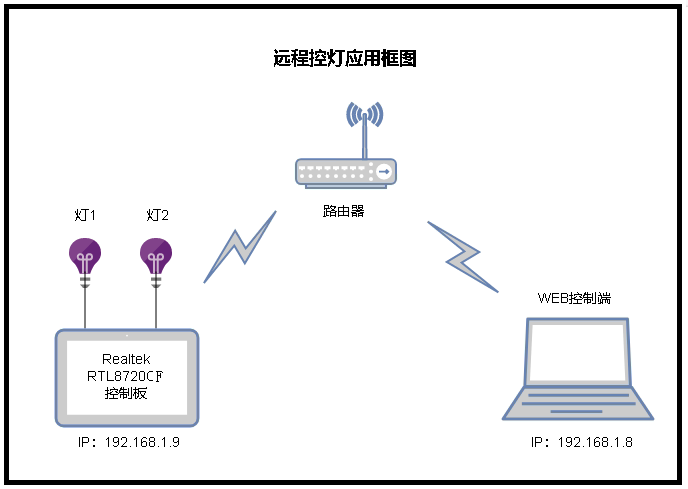
Figure 1 Application Block Diagram (In this example, Light 1 and Light 2 are LEDs)
The core chip used in the control board here is the RTL8720CF. This chip comes with 256K of built-in RAM and 16Mb of built-in Flash memory.
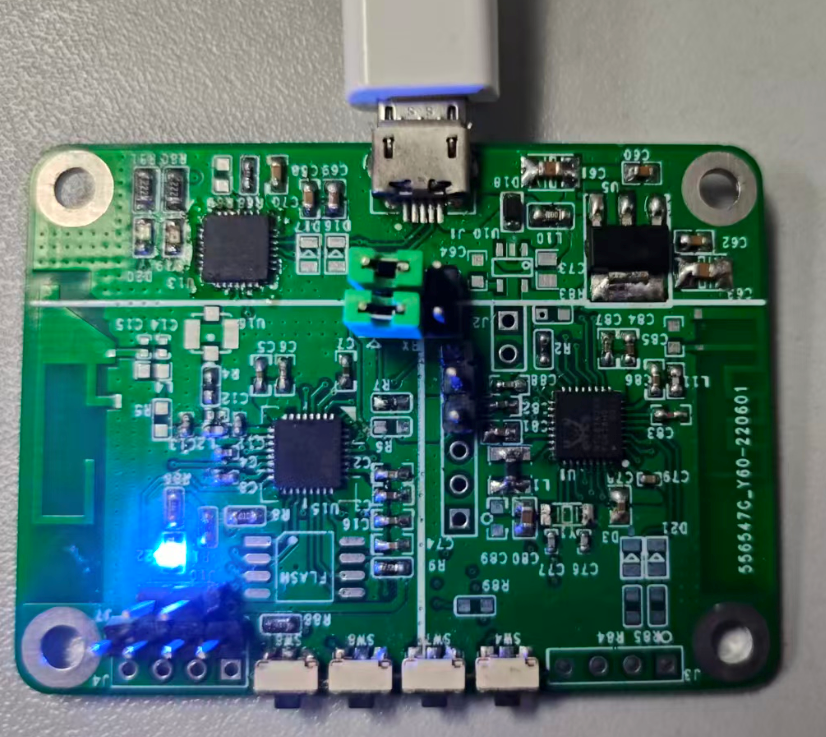
Figure 2. RTL8720CF Hardware Physical Diagram (Custom-designed, not an official development board)
The RTL8720CF comes with a comprehensive SDK that includes examples for various applications. When developing different types of applications, you can refer to the corresponding examples in the SDK.
The board's network configuration is done via AT commands. You can check the available configuration commands using the help command, which is quite convenient. There are three main AT commands for network configuration (ATW0, ATW1, and ATWC). Once the configuration is successful, the current assigned IP address will be displayed.
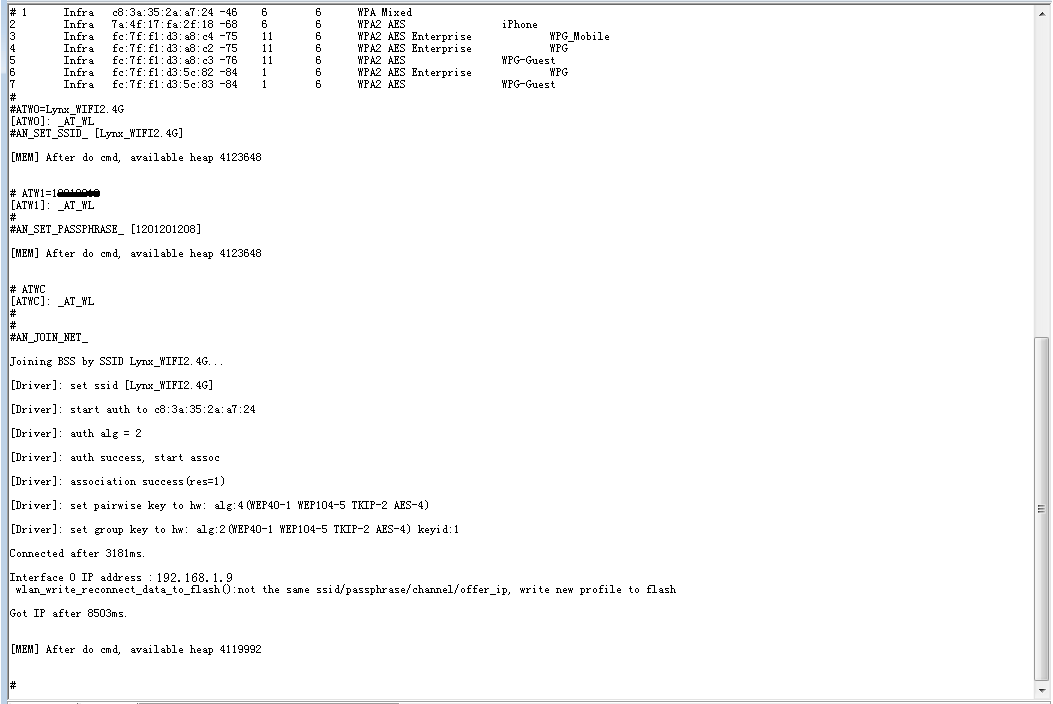
Figure 3 Network Configuration Process
The lighting control is mainly achieved by setting up a web server within the RTL8720CF, allowing for remote control via a web page. The control interface is shown below.
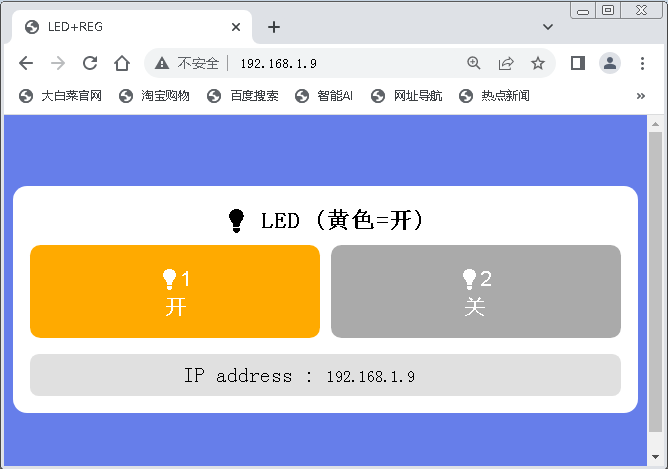
Figure 4 Control Interface
This way, we can control the lights from the control terminal (laptop) through the web interface. To control the lights, simply click the corresponding control button. A gray button indicates that the light is currently off, while a yellow button means the light is currently on.
There are a few points about this application that need to be clarified:
- You only need to configure the network once. The RTL8720CF will save the network configuration information. If the device loses connection or experiences a power outage, the RTL8720CF will automatically reconnect to the network when powered back on. So, there’s no need to worry about network disconnections—it’s quite convenient.
- The implemented web interface will stay synchronized with the actual status of the lights, so even after logging back into the web interface, the light status will be displayed accurately.
- Due to limitations in the internal resources of the IoT chip and the design of the SDK, it is not possible to create overly complex web pages.
This is just a simple application of the Realtek IOT chip. However, even with this basic application, you can remotely and wirelessly control devices such as industrial equipment switches. Furthermore, by communicating with other MCUs via the serial port, it is possible to achieve more complex remote control applications.
That concludes the introduction to this application. If your company has any IoT-related chip applications, please feel free to contact the WPG Beijing Realtek Team at the following email address:lynx.liu@ait-group.com,
We will recommend suitable chips based on your company's application scenarios.