


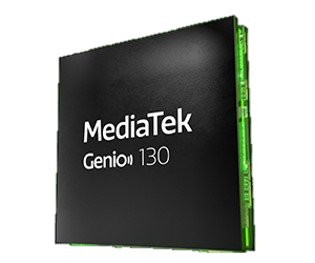
Figure 1: MediaTek Genio 130 chip (Data content from MediaTek)
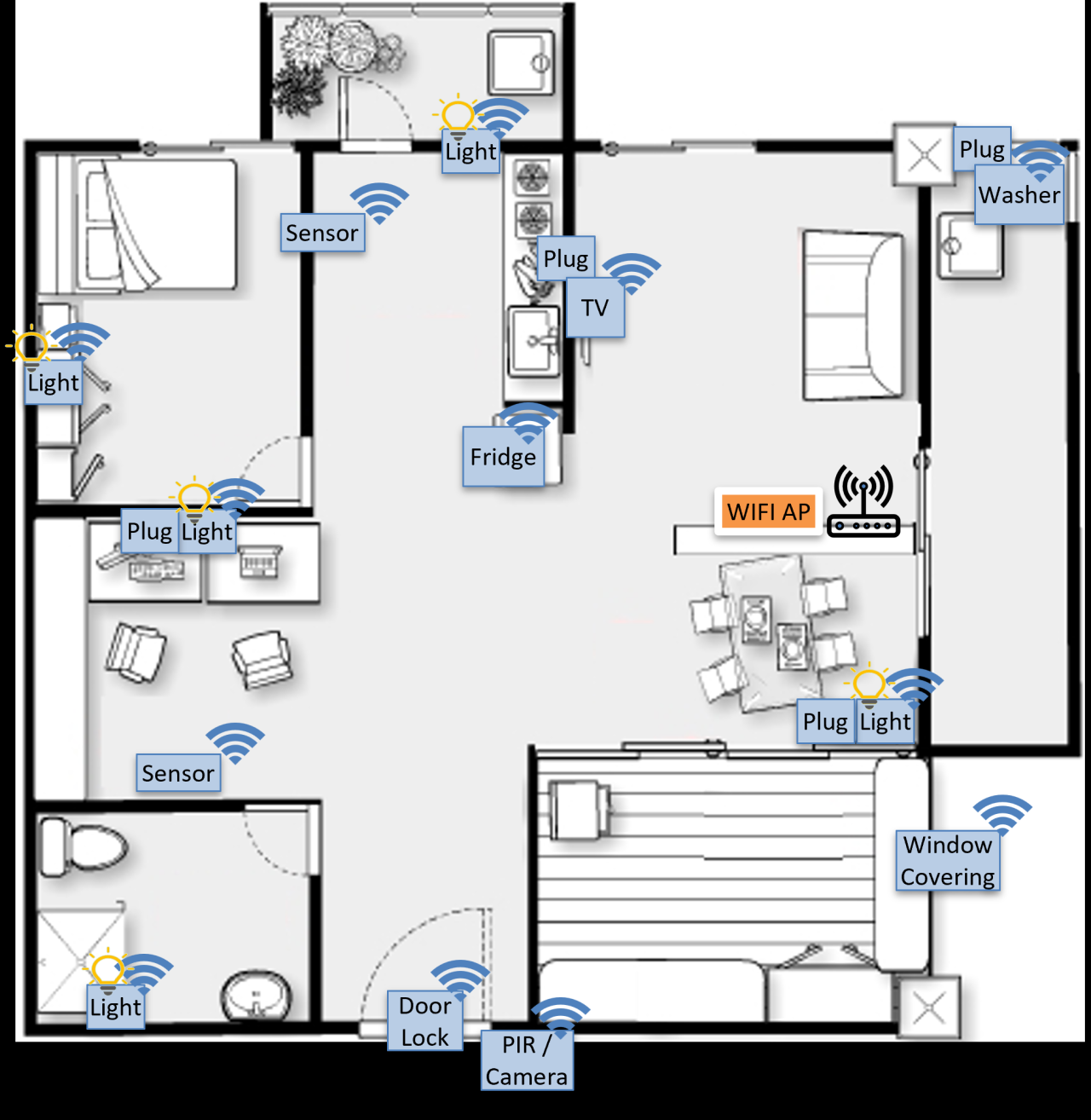
In recent years, smart home products have been continuously innovating, all equipped with networking capabilities and the ability to interact with smartphones and tablets. These products combine innovative applications and ideas, bringing various convenient functions to our lives. We can set up a central device with integrated functions at home and connect various terminal devices, such as smart speakers, smart bulbs, gas/temperature and humidity sensors, smart switches, etc.… to the central device, or connect home appliances to smart sockets, providing convenient operations and smart interaction experiences for home life.
Based on such application scenarios, MediaTek provides a mature and fully functional solution: Genio 130, which is a single-chip integration of Arm Cortex-M33 MCU, Wi-Fi 6, and Bluetooth 5.2 connectivity subsystems, featuring low power consumption, a power management unit (PMU), and optional audio DSP as the foundation; enabling smart home terminal devices to achieve low power consumption, networking capabilities, sensor information transmission, and voice recognition interaction functions.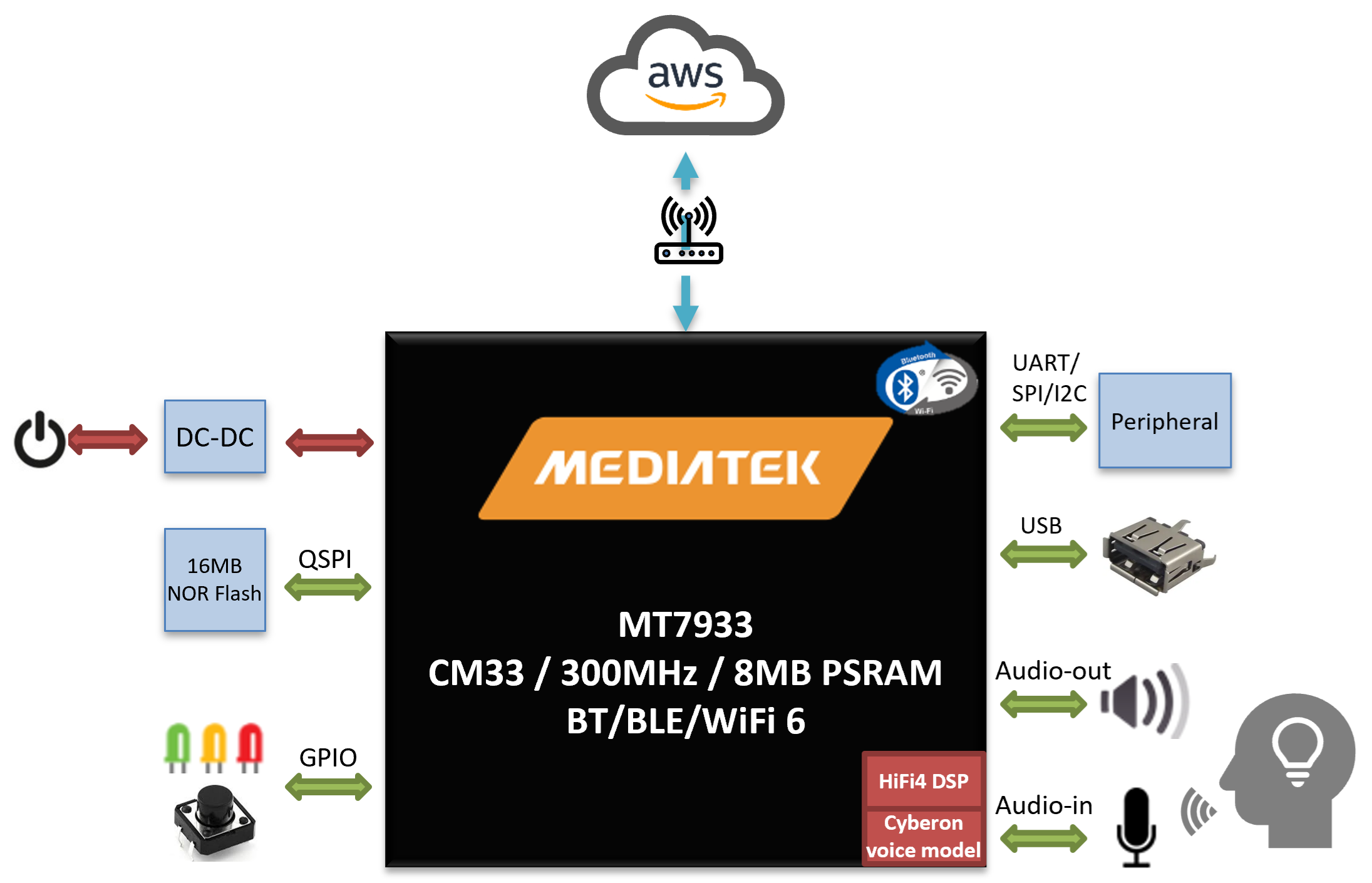
Figure 2: MediaTek Genio 130 block diagram
This article will further introduce the combination of Genio 130 with voice recognition, WIFI networking, and MQTT communication protocol; to realize a basic smart furniture terminal device: the smart socket solution :
- Genio 130 environment & SDK setup
- Voice recognition, WIFI, MQTT function and behavior implementation
- Practical operation demonstration
Genio 130 environment & SDK setup
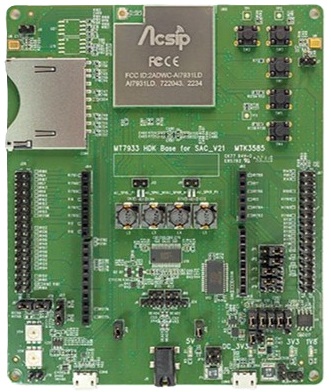
Figure 3: MediaTek Genio 130 EVK (Data content from AcSip)
By setting up a Linux development environment (ex. VM + Ubuntu 20.04 LTS), importing Genio 130 SDK, we can start implementing related functions.
For details on how to set up the Genio 130 development environment, further build projects, and burn project binary files to Genio 130 EVK, please refer to the blog post by the author: Getting Started with MediaTek Genio 130/130A (Part 1)
Voice recognition, WIFI, MQTT function implementation
First, for voice recognition, we use the Cyberon DSpotter Modeling tool to create voice models for "wake word" and "command word", and convert them into raw data to import into the project:
{SDK_ROOT}\middleware\MTK\audio_services\driver\mt7933\mt7933\mt7933-adsp-pcm.c
|
/* Include voice model */ #include "VAD_model_hello_mediatek.h" #include "VAD_model_hi_genio.h" |
For different smart plugs, we specify their respective voice recognition models for "wake word" and "command word", achieving their respective voice recognition operations.
- Smart plug 1(Light)
Wake word: Hello Mediatek
Command words: - Turn on the light
- Turn off the light
- Power on the plug (turn on all Smart Plugs)
- Power off the plug (turn off all Smart Plugs)
- Smart plug 2(Fan)
Wake word: Hi Genio
Command words: - Turn on the fan
- Turn off the fan
- Power on the plug (turn on all Smart Plugs)
- Power off the plug (turn off all Smart Plugs)
Here is a scenario for voice recognition operation:
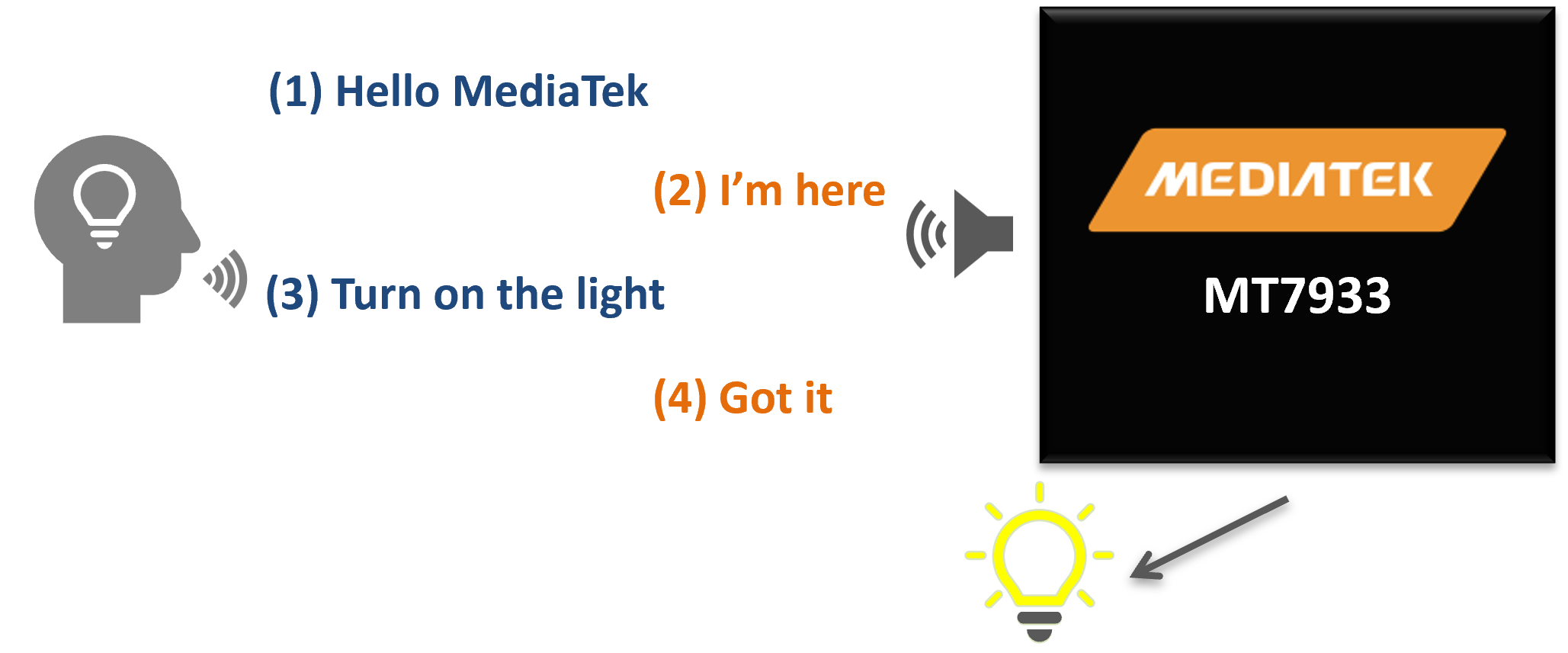
Figure 4: MediaTek Genio 130 voice recognition operation example
WIFI function is enabled by default in Genio 130, we just need to set up the connection to the specified AP after powering on.
Reference CLI command:
|
$ wifi init $ wifi config set ssid 0 SSID $ wifi config set sec 0 7 6 $ wifi config set psk 0 PASSWORD $ wifi config set reload |
You can also write the settings into the profile :
|
$ wifi profile set ssid SSID $ wifi profile set sec 7 6 $ wifi profile set psk PASSWORD |
Finally, we set up the MQTT Server on AWS Cloud ; enabling the MQTT Client function on the Smart plug, and through the subscription mechanism, each Smart plug status can be obtained and implemented by its corresponding Smart plug , achieving interactive control between different Smart plugs. Each Smart plug also has corresponding security mechanisms (Root CA, Certificate, Private key), ensuring that the messages of Smart plugs can be transmitted securely.
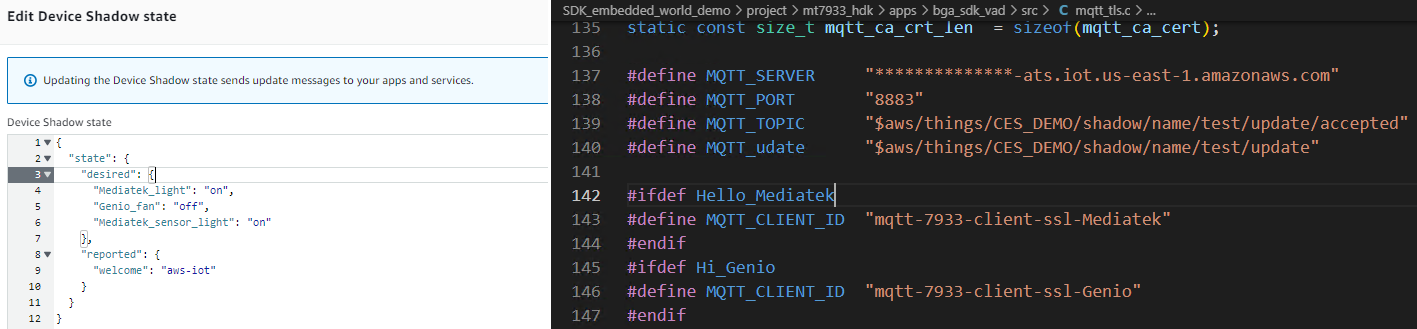
Figure 5: MQTT Server (AWS) and Client (Genio 130) function setting example
Practical operation demonstration
The following is a functional demonstration based on Genio 130 in the Smart plug solution. When we connect the Smart plug to power, the Smart plug will power on and automatically connect to the configured WIFI AP (if settings are stored), then connect to the AWS Cloud Server to complete initialization, at which point the Smart plug indicator light (orange) will stay on.
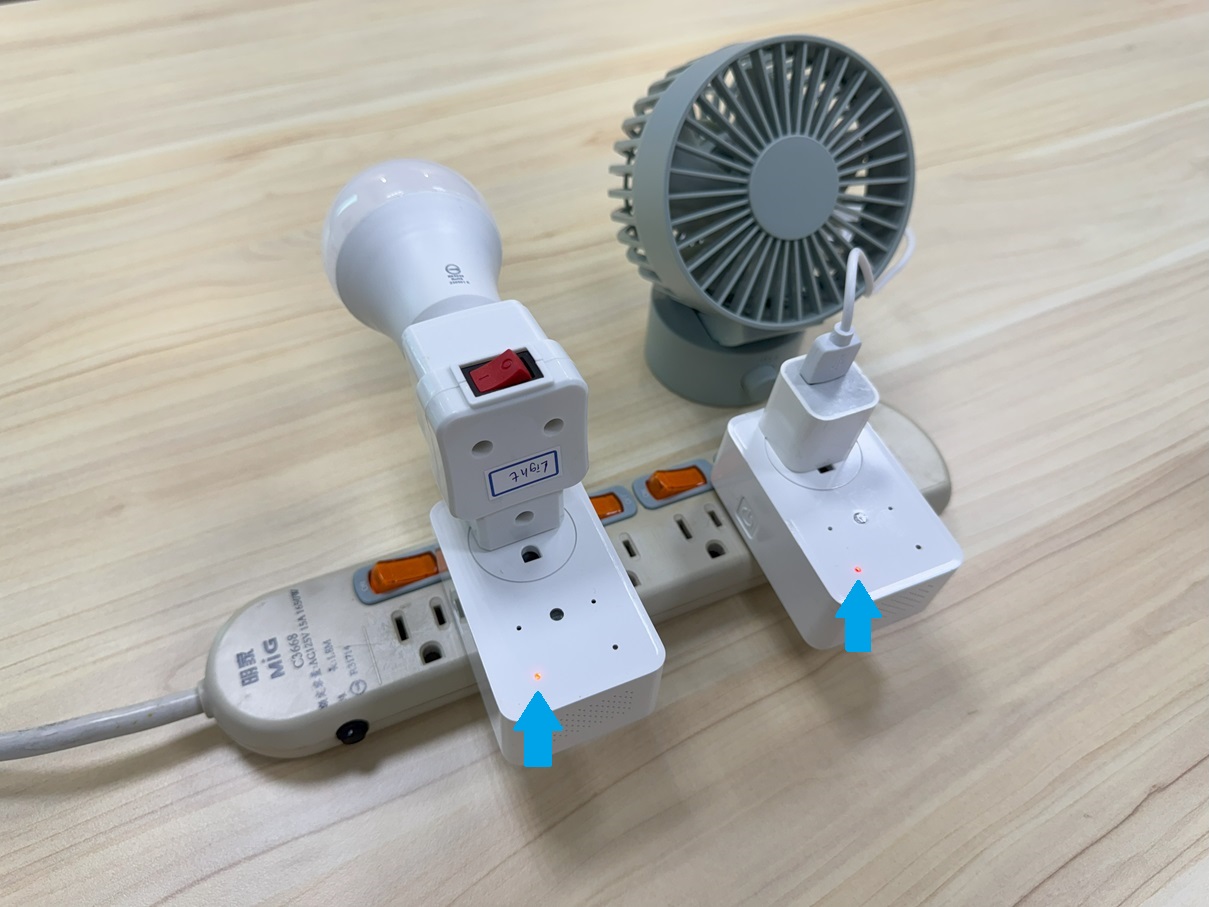
Figure 5: Smart plug Demo - 1
When we say the wake word "Hello Mediatek", the Smart plug 1 will play a response tone, and the status light (blue) will stay on, indicating that Smart plug 1 has triggered voice recognition and is waiting for the command word; when we say the command word "Turn on the light", the bulb connected to Smart plug 1 will light up.
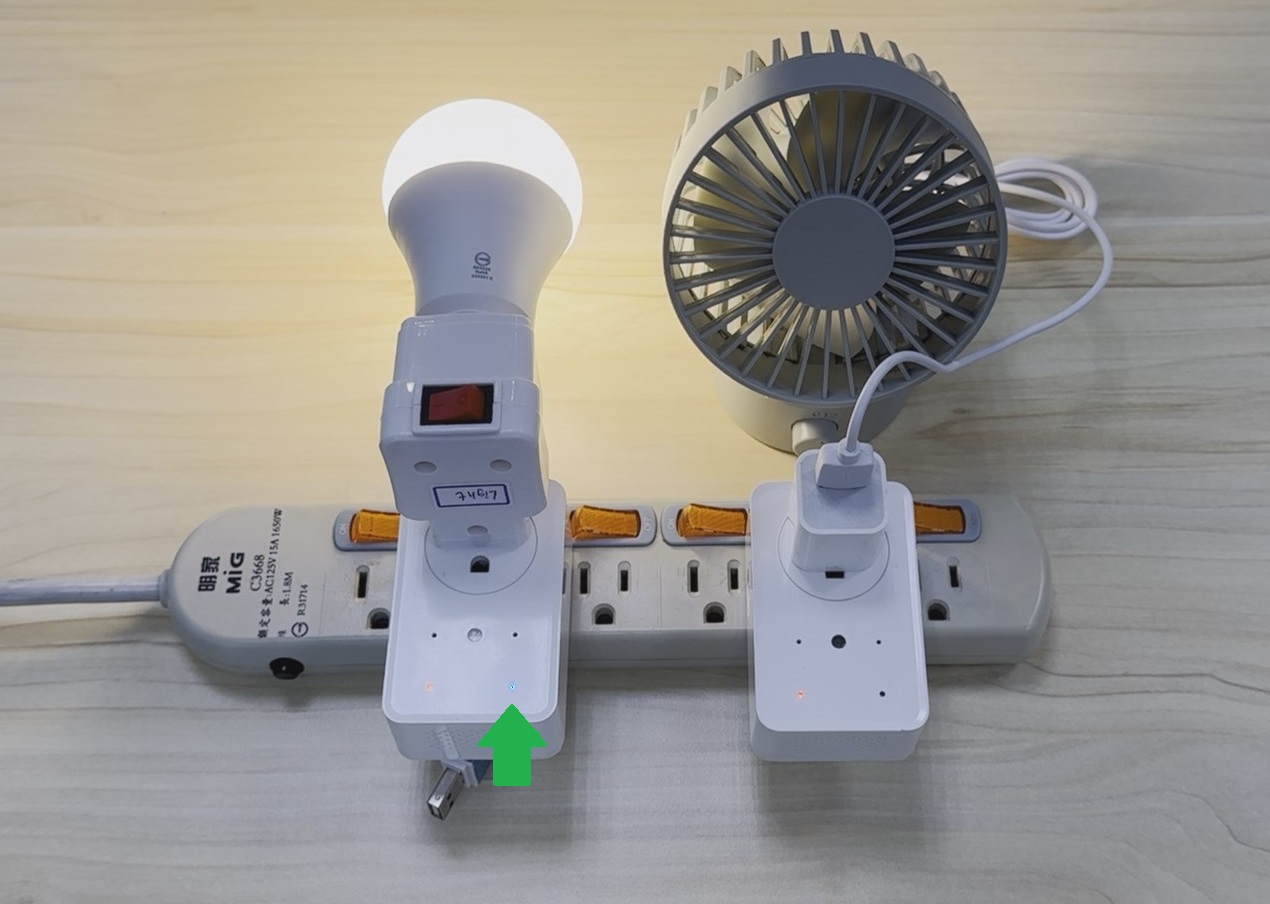
Figure 6: Smart plug Demo - 2
Additionally, we can also control Smart plug 1 through Smart plug 2 ; when we say the wake word "Hi Genio", the Smart plug 2 will play a response tone, and the status light (blue) will stay on, at which point Smart plug 2 will wait for the command word; when we say the command word "Turn on the light", the bulb connected to Smart plug 1 will light up.
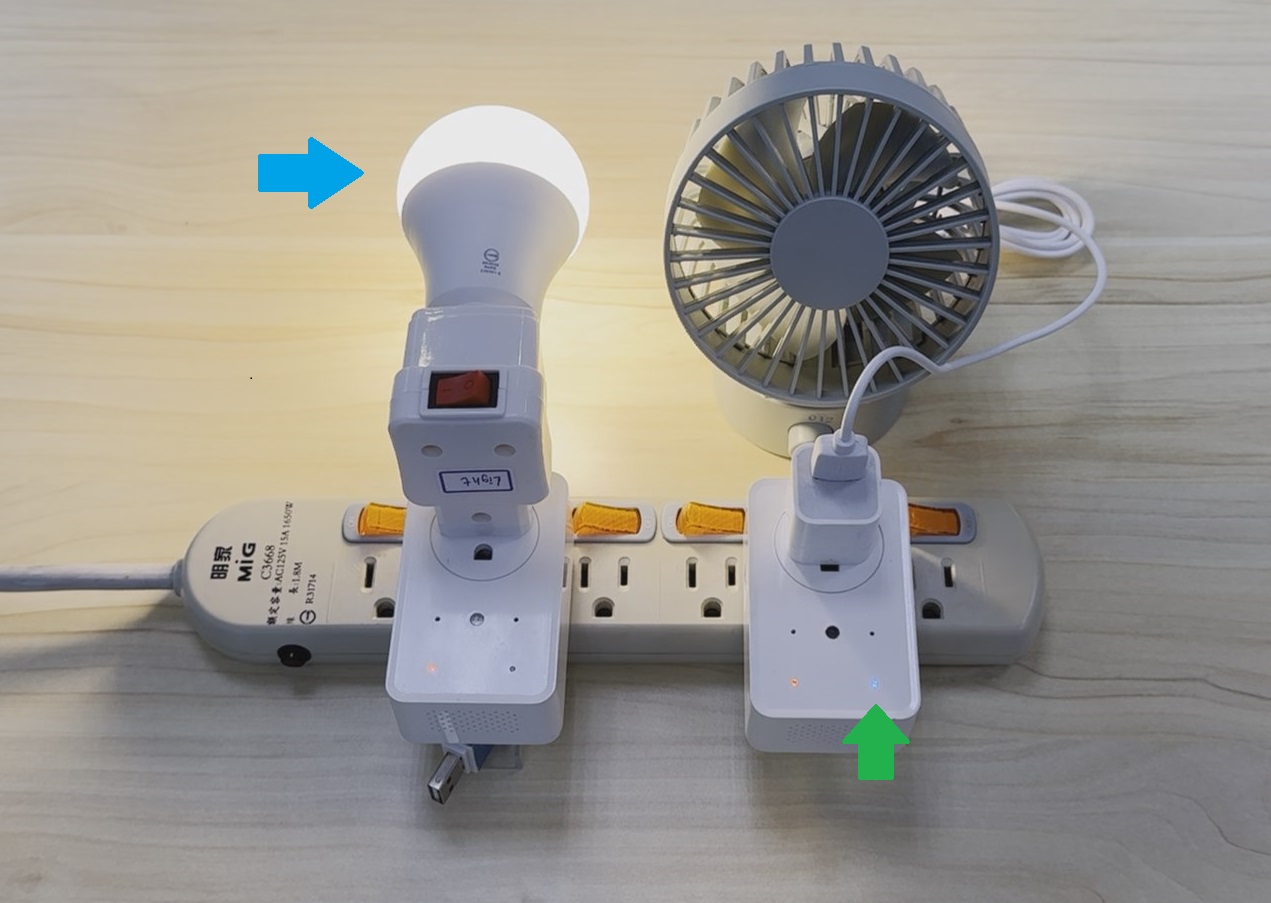
Figure 7: Smart plug Demo - 3
Through any Smart plug , we can use the command word "Turn on the plug" to simultaneously turn on/ off the bulb and the fan
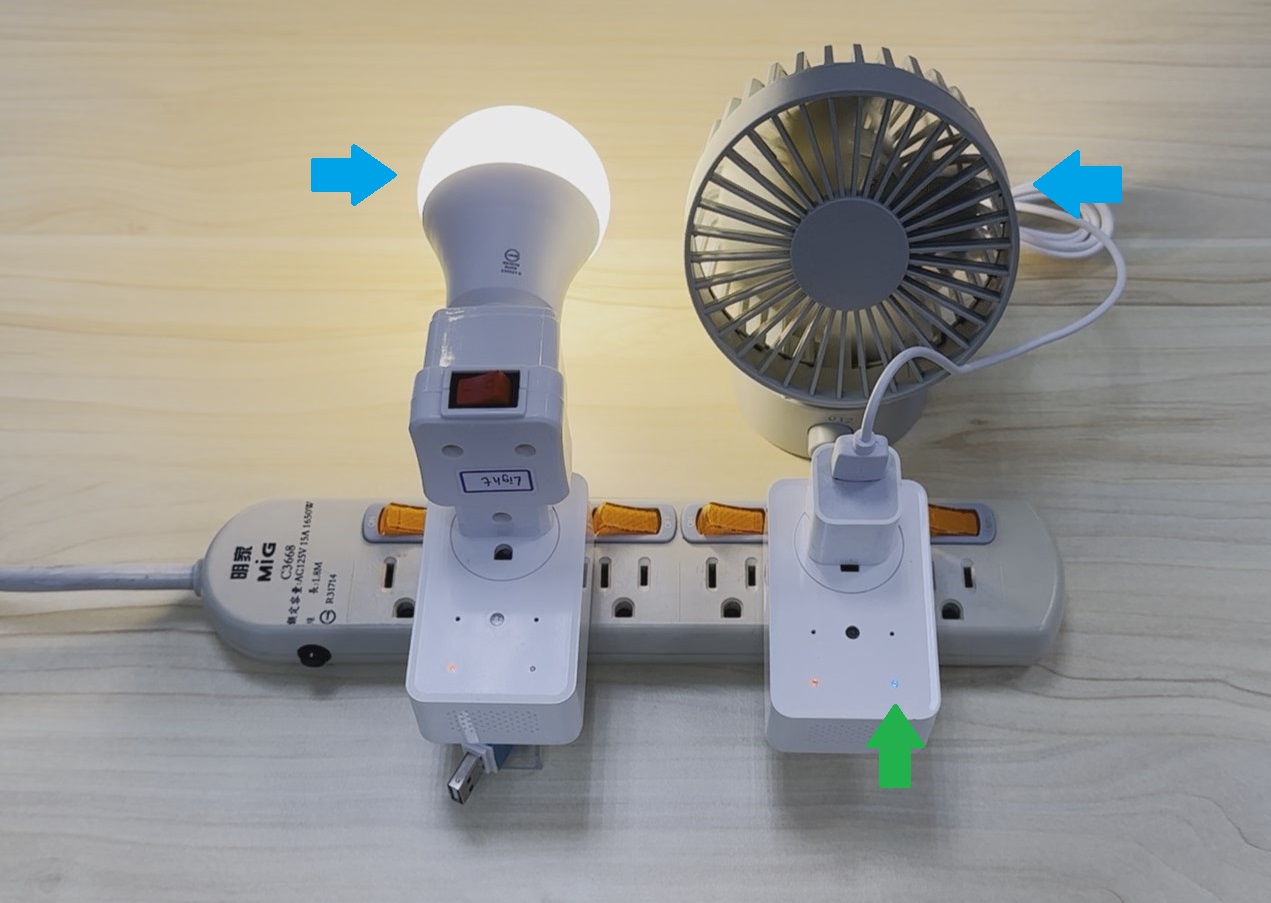
Figure 8: Smart plug Demo - 4
References:
MediaTek Genio 130 (MT7931/MT7933)
- Website : https://www.mediatek.com/iot/products/genio-130
- Datasheet : MediaTek Website
- Genio 130A (MT7933) EVK User Guide:MediaTek Website
AWS
- AWS Server:https://us-east-1.console.aws.amazon.com/console/home?region=us-east-1
- Device Shadows - MQTT Topics:https://iotatlas.net/en/implementations/aws/device_state_replica/device_state_replica1/#reference-architecture
►Scene Application Diagram
►Product Physical Diagram

►Display Board Photo

►Solution Block Diagram

►Core Technology Advantages
The MediaTek Genio 130 (MT7931/MT7933) microprocessor products represented by the Pinjia Group are based on the Arm Cortex-M33 architecture, with a clock speed of up to 300MHz, built-in up to 8MB UHS PSRAM, providing high computing power. It also offers wireless connectivity technologies such as WiFi 6 and BT 5.2, with dual-band (2.4GHz and 5GHz) connectivity; in addition, the Genio 130 (MT7933 version) has a built-in HiFi4 DSP, 3 ADCs, and 2 DAC channels, providing voice activity detection and wake word functions, suitable for developing IoT devices that support voice assistant cloud services.
►Solution Specifications
MediaTek's Genio 130 series (MT7931/MT7933) features: • Arm Cortex-M33 processor, clock speed 300MHz • Embedded 1MB SRAM and 8MB UHS (Ultra High Speed) PSRAM • WiFi 6 and dual-band IEEE 802.11 a/b/g/n/ac/ax 2.4G/5G connectivity subsystems • Bluetooth 5.2 connectivity subsystem • Audio Cadence® Tensilica® HiFi4 DSP@600MHz (Note 1) • Hardware encryption engine (AES/DES/3DES/SHA/ECC/TRNG) • Power management unit • Supports USB 2.0 OTG (Note 1) • Rich peripheral interfaces such as: USB, SDIO, SPI master/slave, I2C, I2S, UART, AUXADC, PWM, and up to 46 GPIOs • Provides FreeRTOS and Arduino development SDK and multiple example projects to shorten development time Note 1: HiFi4 DSP and USB 2.0 are features supported by MT7933.