


With the explosive growth of artificial intelligence (AI) in 2022-2023, we have entered the era of AI. In various fields such as transportation, industry, finance, manufacturing, and healthcare, AI has been widely applied to solve various problems and accelerate development. As AI becomes part of our lives, we also see a variety of AI tools and products on the smart devices we own.
Figure 1: MediaTek Genio 130 chip (Data sourced from MediaTek)
ChatGPT, the natural language generation model we are familiar with and widely use, was developed by OpenAI and launched in 2022. Through ChatGPT, we can interact with it using natural human language. We can also transmit text, audio, images, multimedia, and other information, providing responses that are almost human-like and based on deep learning to the inquiries posed by users.
This advanced AI technology is widely applied in various fields and scenarios. In the IoT domain, MediaTek has integrated its solution: Genio 130, which is a single-chip solution that integrates an Arm Cortex-M33 MCU, Wi-Fi 6, and Bluetooth 5.2 connectivity subsystems, a power management unit (PMU), and an optional audio DSP. Combined with the OpenAI API, it creates a new generation of smart connected AI devices that can be applied in various IoT scenarios and contexts.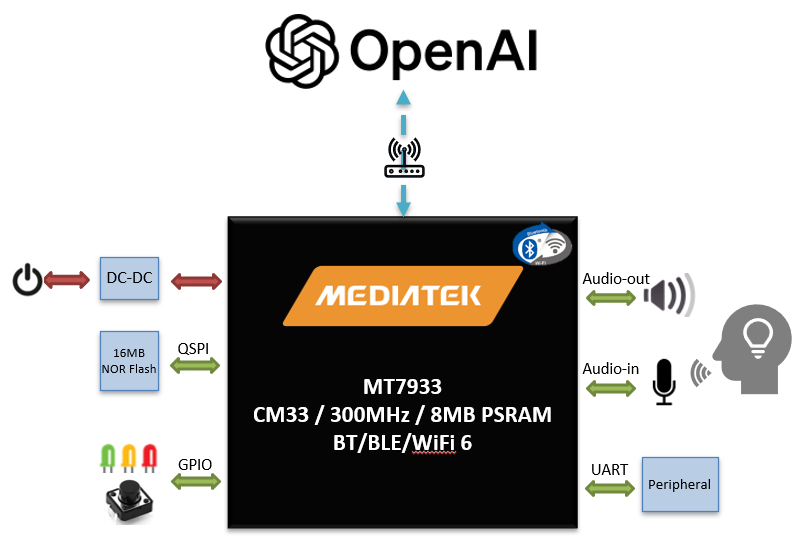
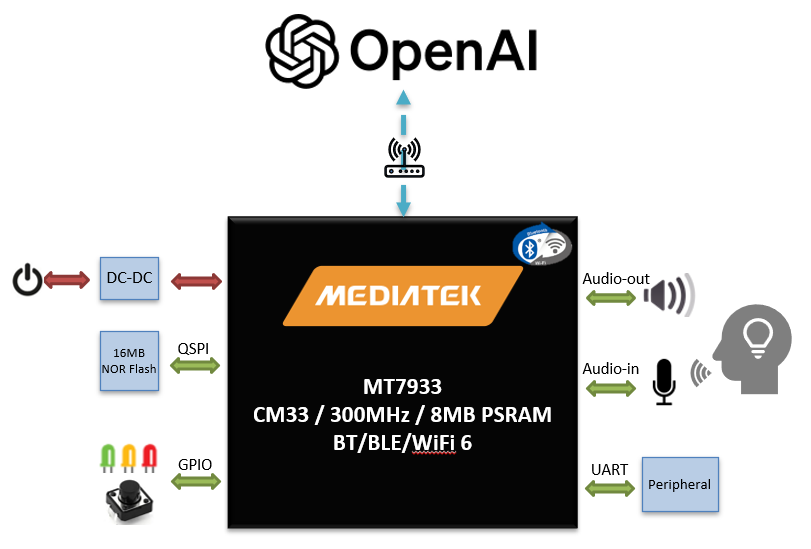
Figure 2: MediaTek Genio 130 block diagram
This article will further introduce the solution of Genio 130 combined with ChatGPT functionalities:
- Genio 130 environment & SDK setup
- OpenAI API integration & behavior design
- Practical operation demonstration
Genio 130 environment & SDK setup
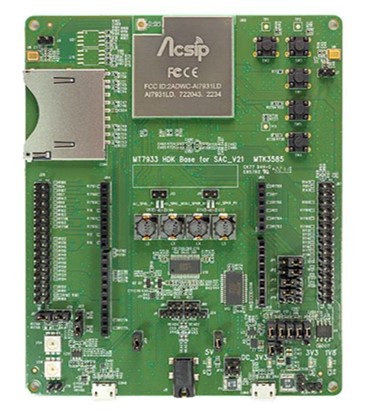
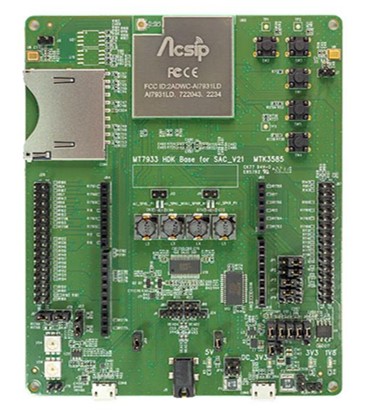
Figure 3: MediaTek Genio 130 EVK (Data sourced from AcSip)
By setting up a Linux development environment (e.g., VM + Ubuntu 20.04 LTS), and integrating the Genio 130 SDK, we can start implementing the OpenAI functionalities.
For details on how to set up the Genio 130 development environment, build projects, and flash the project binary file to the Genio 130 EVK, please refer to the blog post by the author: MediaTek Genio 130/130A Quick Start (Part One)
Before integrating the OpenAI API, we need to implement the following functionalities to meet the requirements of the OpenAI API. The Genio 130 SDK already has some of these functionalities.
- Audio data capture from microphone: Capture audio from the microphone.
- Audio playback: Used to play back the OpenAI response content.
- HTTP Client: Send and receive network packets between Genio 130 and the OpenAI Server.
OpenAI API integration & behavior design
Referring to the OpenAI development documentation, we can find various OpenAI API and integrate them into the Genio 130 using HTTP Request. Below is an example of an HTTP Request using the Chat Completions API:
|
curl https://api.openai.com/v1/chat/completions \ |
It is worth mentioning that developing the OpenAI API requires registering an account on OpenAI and obtaining an OpenAI API Key (which requires payment).
For more details, please refer to : OpenAI Platform
On the Genio 130, we designed to use the button on the EVK (SW2) to trigger microphone recording, and then send the data through an HTTP Request packet to the OpenAI Server. After that, we obtain the audio response returned after processing by the OpenAI Server and finally use the Audio playback function to play the result on the Speaker.
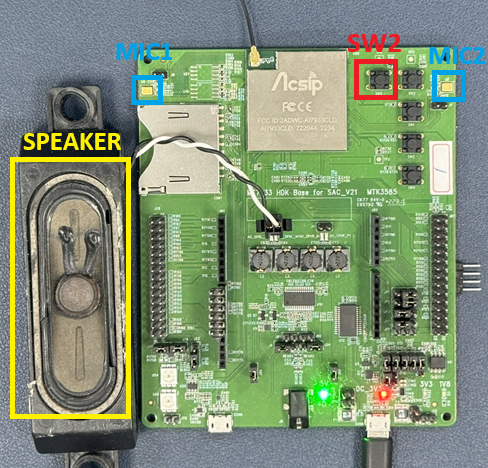
Figure 4: MediaTek Genio 130 EVK
Practical operation demonstration
Next, we will demonstrate the practical operation of the Genio 130 in using the ChatGPT functionality. We can simply connect the Speaker to the Genio 130 EVK, and after connecting the power to the Genio 130 EVK, it will quickly complete initialization and wait for the user to perform the next action.
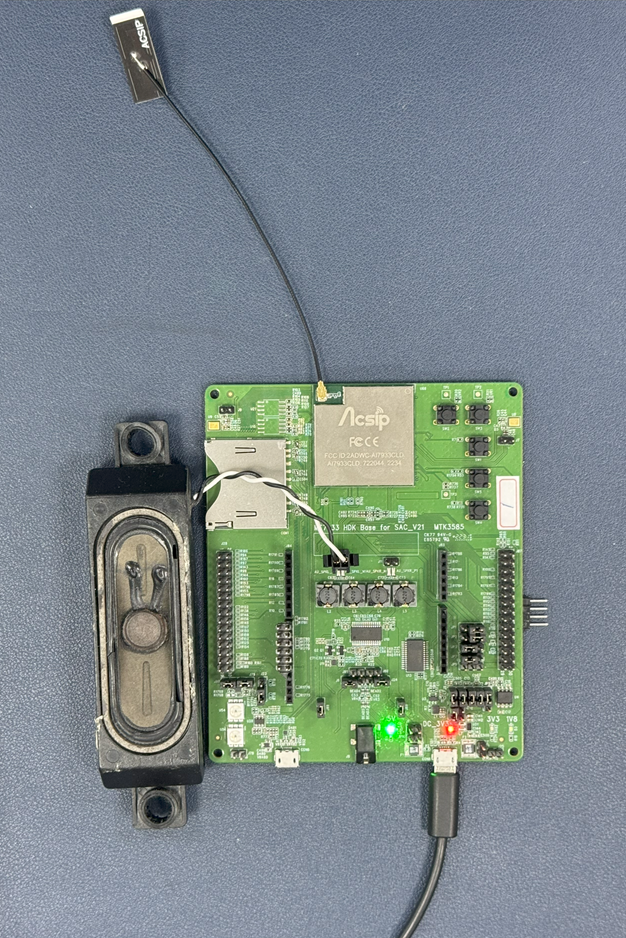
Figure 5: MediaTek Genio 130 EVK
Next, we need to connect the Genio 130 EVK to a known WIFI AP; through a series of WIFI CLI commands to establish the network connection for the Genio 130 EVK. This WIFI AP profile can also be stored in the Genio 130 EVK's NVDM, and will automatically apply the profile for WIFI connection on subsequent boot.
|
$ wifi init $ wifi config set ssid 0 SSID $ wifi config set sec 0 7 6 $ wifi config set psk 0 PASSWORD $ wifi config set reload |
Next, we will use the implemented ChatGPT CLI command to start the ChatGPT service.
|
$ chatgpt_start |
After completing this, we can press the SW2 button and ask questions in natural language:Hello, please introduce yourself.
Through a series of processing via the OpenAI API:audio/transcriptions --> chat/completions --> audio/speech. This completes a "conversation", and the following is a packet representation:
|
[249093]<633>[common][I][openAI_chatGPT_task][1289]send audio data complete!
recv data_size:38, { "text": "Hello, please introduce yourself" } [249637]<634>[common][I][openAI_chatGPT_task][1294]httpclient_post https://api.openai.com/v1/audio/transcriptions success ! req: Hello, please introduce yourself [249639]<635>[common][I][openAI_chatGPT_task][1335]send chat request ! [249645]<636>[common][I][openAI_chatGPT_task][1351]send chat request complete!
recv data_size:757, { "id": "chatcmpl-xxxxxxxxxxxxxxxxxxxxxxxxxxxxxxxxxxx", "object": "chat.completion", "created": 1724683334, "model": "gpt-4o-mini-2024-07-18", "choices": [ { "index": 0, "message": { "role": "assistant", "content": "Hello! I am a chatbot assistant designed to answer questions, provide information, and help solve various needs. Whether it's learning new knowledge, seeking advice, writing text, or other topics, I can provide assistance. If you have any questions or needs, feel free to let me know!", "refusal": null }, "logprobs": null, "finish_reason": "stop" } ], "usage": { "prompt_tokens": 13, "completion_tokens": 74, "total_tokens": 87 }, "system_fingerprint": "fp_507c9469a1" }
[251591]<637>[common][I][openAI_chatGPT_task][1355]httpclient_post https://api.openai.com/v1/chat/completions success ! req txt: Hello! I am a chatbot assistant designed to answer questions, provide information, and help solve various needs. Whether it's learning new knowledge, seeking advice, writing text, or other topics, I can provide assistance. If you have any questions or needs, feel free to let me know!
[251594]<638>[common][I][openAI_chatGPT_task][1397]send text! [251601]<639>[common][I][openAI_chatGPT_task][1413]send text complete! mp3_codec_start_play,829 [MP3 Codec]Open codec [MP3 Codec]: mp3_decode_buffer 0x1067c0c8 (len 41000), mp3_codec_internal_handle 0x1057a1f0 (size 220), handle 0x1057a1f0 [MP3 Codec]mp3_codec_task_main create [MP3 Codec Demo] first write data 4095.mp3_codec_start_play,848 [MP3 Codec Demo] play + [MP3 Codec] mp3_codec_play_internal ++ [MP3 Codec] mp3_codec_play_internal -- [MP3 Codec Demo] play - recv data done:total size:340800, this block:14400 [260847]<649>[common][I][openAI_chatGPT_task][1434]httpclient_post https://api.openai.com/v1/audio/speech success ! |
Another operation demonstration: Calculate 952 plus 33 then divide by 2 is there a decimal point? What is the decimal point?
|
[9323894]<699>[common][I][openAI_chatGPT_task][1289]send audio data complete!
recv data_size:76, { "text": "Calculate 952 plus 33 then divide by 2 is there a decimal point? What is the decimal point?" } [9324831]<700>[common][I][openAI_chatGPT_task][1294]httpclient_post https://api.openai.com/v1/audio/transcriptions success ! req: Calculate 952 plus 33 then divide by 2 is there a decimal point? What is the decimal point? [9324833]<701>[common][I][openAI_chatGPT_task][1335]send chat request !
[9324840]<702>[common][I][openAI_chatGPT_task][1351]send chat request complete!
recv data_size:707, { "id": "chatcmpl-xxxxxxxxxxxxxxxxxxxxxxxxxxxxxxxxxxx", "object": "chat.completion", "created": 1724692409, "model": "gpt-4o-mini-2024-07-18", "choices": [ { "index": 0, "message": { "role": "assistant", "content": "First, we calculate \( 952 + 33 \). \[ 952 + 33 = 985 \] Next, we divide this result by 2: \[ \frac{985}{2} = 492.5 \] Therefore, the calculation has a decimal point, and the decimal point is **0.5**.", "refusal": null }, "logprobs": null, "finish_reason": "stop" } ], "usage": { "prompt_tokens": 27, "completion_tokens": 77, "total_tokens": 104 }, "system_fingerprint": "fp_f3db212e1c" }
[9326680]<703>[common][I][openAI_chatGPT_task][1355]httpclient_post https://api.openai.com/v1/chat/completions success ! req txt: First, we calculate \( 952 + 33 \). \[ 952 + 33 = 985 \] Next, we divide this result by 2: \[ \frac{985}{2} = 492.5 \] Therefore, the calculation has a decimal point, and the decimal point is **0.5**. [9326683]<704>[common][I][openAI_chatGPT_task][1397]send text! [9326690]<705>[common][I][openAI_chatGPT_task][1413]send text complete! mp3_codec_start_play,829 [MP3 Codec]Open codec [MP3 Codec]: mp3_decode_buffer 0x1067c0c8 (len 41000), mp3_codec_internal_handle 0x1057a1f0 (size 220), handle 0x1057a1f0 [MP3 Codec]mp3_codec_task_main create [MP3 Codec Demo] first write data 4095.mp3_codec_start_play,848 [MP3 Codec Demo] play + [MP3 Codec] mp3_codec_play_internal ++ [MP3 Codec] mp3_codec_play_internal -- [MP3 Codec Demo] play - recv data done:total size:296640, this block:2880 [9330700]<715>[common][I][openAI_chatGPT_task][1434]httpclient_post https://api.openai.com/v1/audio/speech success ! |
References:
MediaTek Genio 130 (MT7931/MT7933)
- Website: https://www.mediatek.com/iot/products/genio-130
- Datasheet: https://d86o2zu8ugzlg.cloudfront.net/mediatek-craft/documents/MT7933CT_Datasheet.pdF
- Genio 130A (MT7933) EVK User Guide: https://mediatek-marketing.files.svdcdn.com/production/documents/EK-AI7933CLD_User-Guide-Ver.E.pdf?dm=1684470662
OpenAI
►Application Scenarios
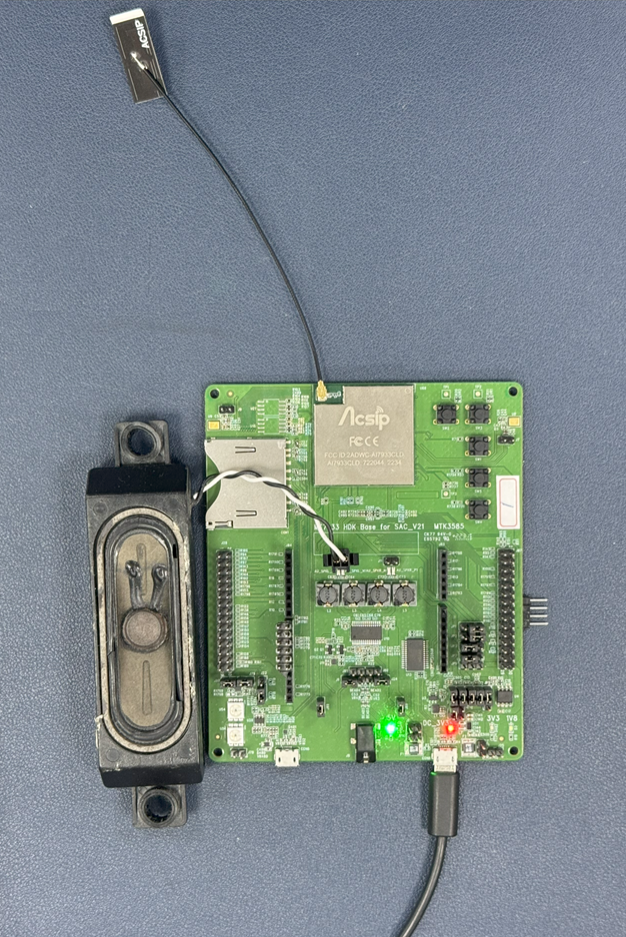
►Demo Board Photos
►Solution Block Diagram
►Core Technical Advantages
The MediaTek Genio 130 (MT7931/MT7933) microprocessor products represented by the Pinjia Group are based on the Arm Cortex-M33 architecture, with a clock speed of up to 300MHz, and built-in up to 8MB UHS PSRAM, providing high computing power. It also offers wireless connectivity technologies such as WiFi 6 and BT 5.2, with dual-band (2.4GHz and 5GHz) connectivity; in addition, the Genio 130 (MT7933 version) has a built-in HiFi4 DSP, 3 ADCs, and 2 DAC channels, providing voice activity detection and wake word functionality, suitable for developing IoT devices that support voice assistant cloud services.
►Solution Specifications
The MediaTek Genio 130 series (MT7931/MT7933) features: • Arm Cortex-M33 processor, clock speed 300MHz • Embedded 1MB SRAM and 8MB UHS (Ultra High Speed) PSRAM • WiFi 6 and dual-band IEEE 802.11 a/b/g/n/ac/ax 2.4G/5G connectivity subsystems • Bluetooth 5.2 connectivity subsystem • Audio Cadence® Tensilica® HiFi4 DSP@600MHz (Note 1) • Hardware encryption engine (AES/DES/3DES/SHA/ECC/TRNG) • Power management unit • Supports USB 2.0 OTG (Note 1) • Rich peripheral interfaces such as: USB, SDIO, SPI master/slave, I2C, I2S, UART, AUXADC, PWM, and up to 46 GPIOs • Provides FreeRTOS and Arduino development SDK and multiple example projects to shorten development time Note 1: HiFi4 DSP and USB 2.0 are features supported by MT7933.